

Reporting in XML format
The e.Statistics system can accept and process reports prepared and submitted in XML format. Reports in XML format can be prepared using software tools of business management and(or) accounting systems of the data provider (legal entity) intended for the formation of reports. These software tools must be prepared taking into account the structure of components of a specific report and other requirements that are described in the XSD schema of the report. The following is described:
1. Where to find XSD schemas for reports.
2. How to submit reports prepared in XML format.
1. Where to find XSD schemas for reports
We publish the XSD schemas prepared for reports on the State Data Agency's website https://vda.lrv.lt/lt/duomenu-rinkimas-is-juridiniu-asmenu/ in the ''Reports forms'' section.
2. How to submit reports prepared in XML format
Software tools of the data provider's business management or accounting systems must be adapted to form XML files for reports according to the downloaded XSD scheme. The XSD scheme provides the structure of the selected report components and other requirements for the fields to be filled in (Figure1)
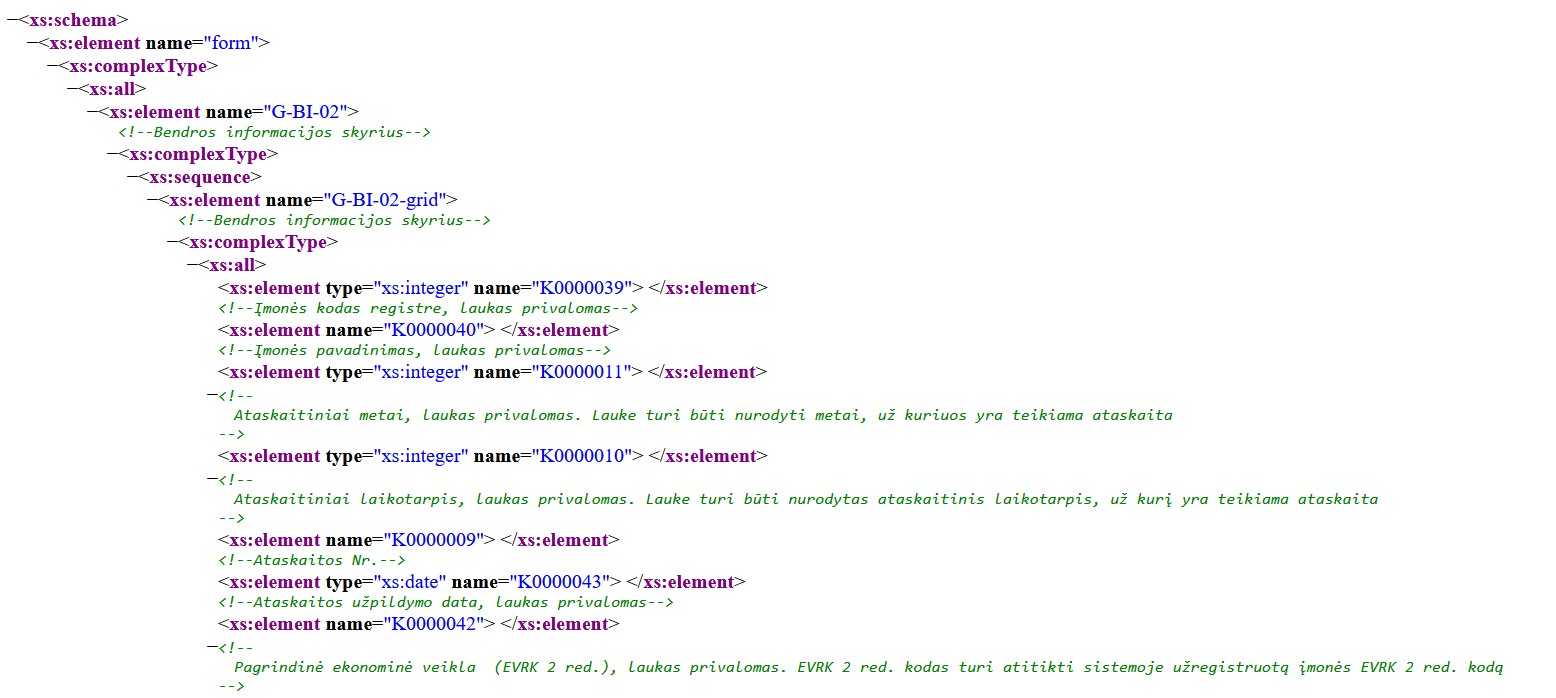
Figure 1. Example of XSD scheme
Reports prepared in XML format can be submitted in two ways:
- send by e-mail to eformos@stat,gov.lt;
- uploading to the e. Statistics system.
1. A report can be sent only from the email address specified in the data provider representative card registered in the e.Statistics system. If a report is sent from another email address, a message will be received that the data provider representative is not identified in the sustem and the report cannot be accepted.
A corresponding acceptance ot rejection message will be provided about the results of the acceptance of the report submited by email.
The report submitted by email can be viewed in the e.Statistics system like other reports.
2. To upload a report in XML format to the e.Statistics system, you must log in to the system, select a data provider you want to represent, select the desired report and click tne [Upload XML] button in this card (Figure2):
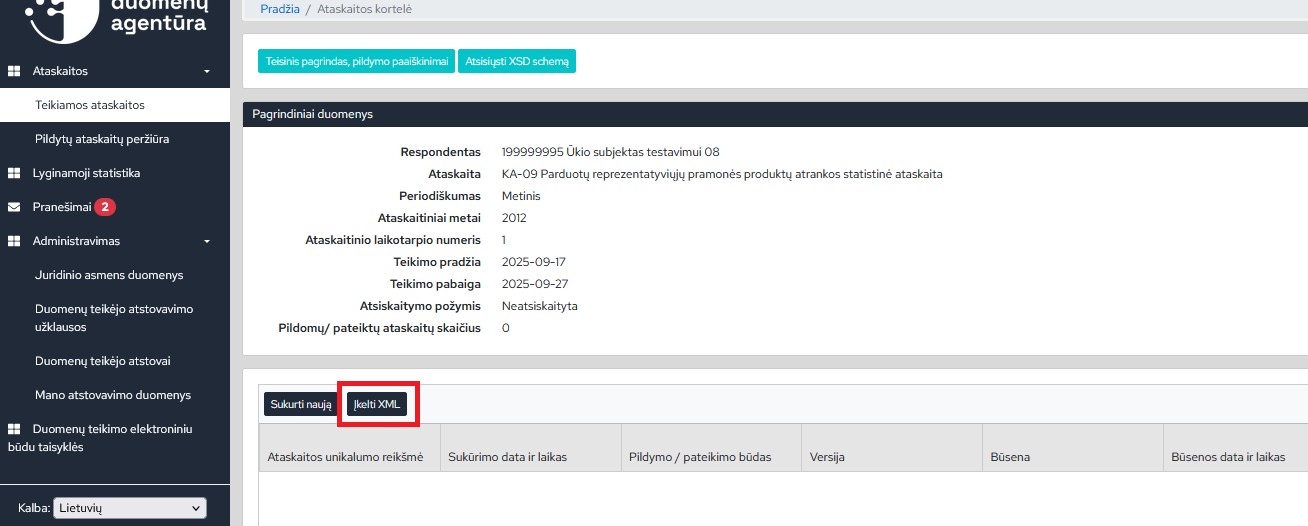
Figure 2. Report card (Upload XML)
The system checks whether the uploaded file is in XML format, whether the uploaded file complies with the specified structure, and whether the uploaded file is not identical to a previously uploaded file. If all verification conditions are met, the uploaded statistical report editing window will open, where you can check and submit the opened report (Figure 3):
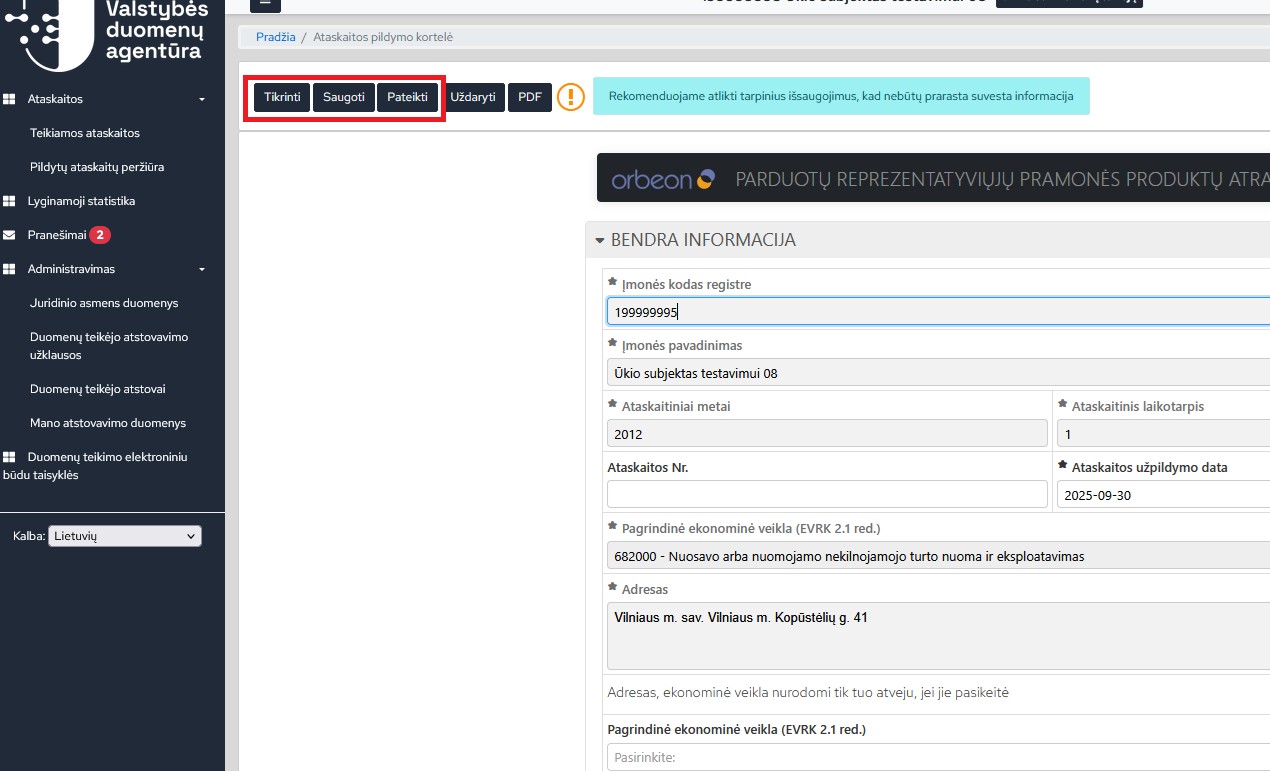
Figure 3. Filling out the report
Last updated: 26-02-2026