

Connecting to the e. Statistics system via the Electronic Government Gateway
To connect to the e.Statistics system via the Electronic Government Gateway, follow these steps:
1. Open the Electronic Government Gateway portal www.epaslaugos.lt in your Internet browser window (Figure 1).
2. Click the [Login] button (Figure 1)
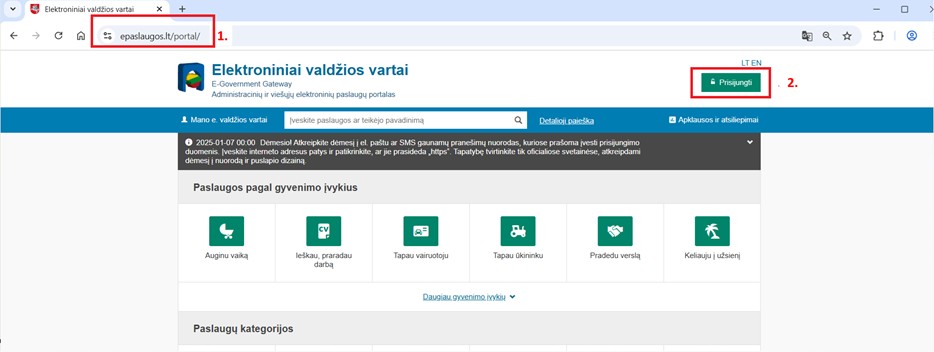
Figure 1. Login window to the Electronic Government Gateway
3. Select the appropriate natural person identification method for you and complete the following identification steps (Figure 2):
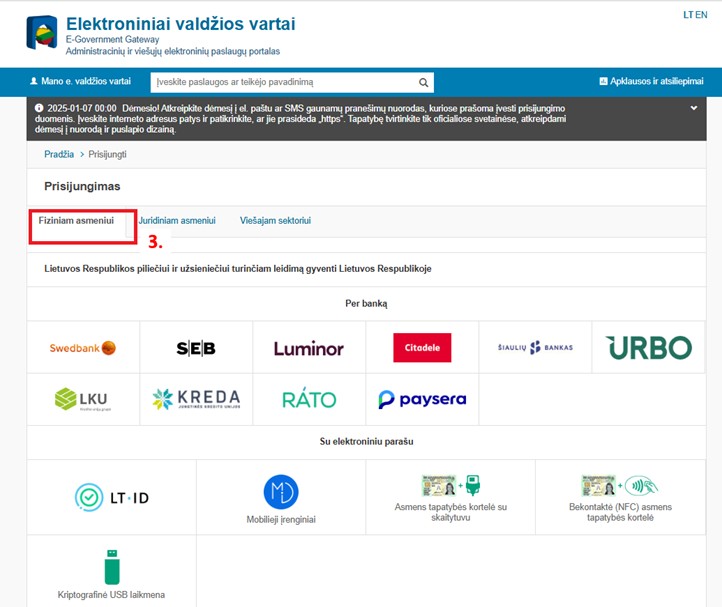
Figure 2. Natural person identification means selection window
Note: When connecting through banking systems, use your personal banking details, not those of the legal entity you represent. The same procedure applies to connecting using an e-signature.
4. Further steps may vary depending on the personal identification method used. Further in this instruction, we will show how to log in through the banking system. Click the [Send data] button (Figure 3):
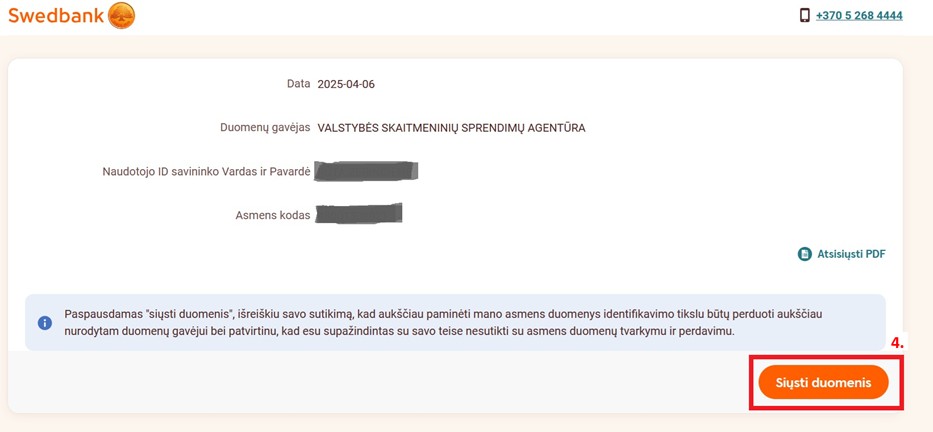
Figure 3. Window for consent to transfer personal data to the responsible authority for identification purposes
5. You will be redirected back to the Electronic Government Gateway from the banking system, but this time you will already be logged in as a user. In the service search field, find the service "Preparation and transmission of statistical business data" (Fig. 4)
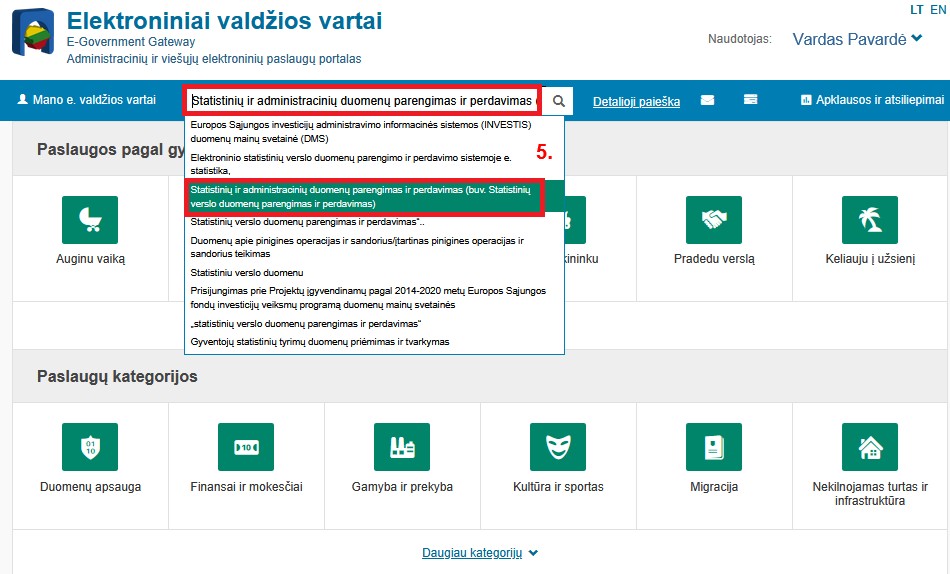
Figure 4. Search for the service "Preparation and transmission of statistical business data"
6. Once you have found the service "Preparation and transmission of statistical business data", click the [Order] button (Figure 5):
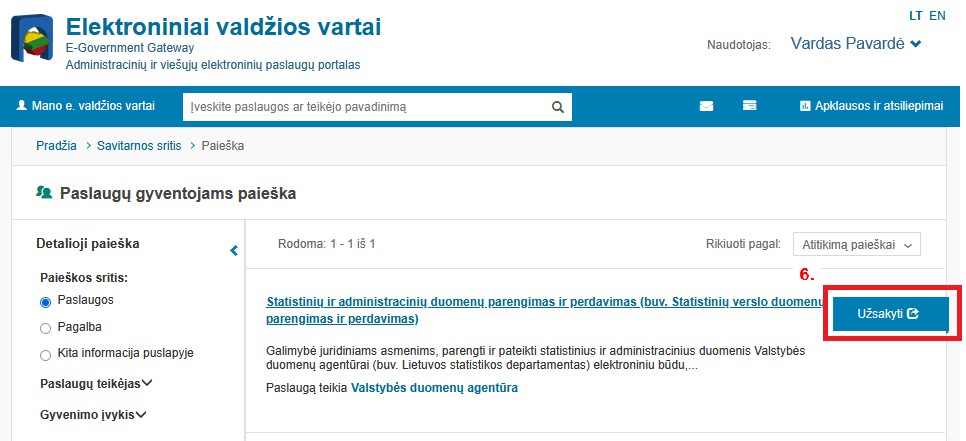
Figure 5. Ordering the service “Preparation and transmission of statistical business data”
7. By clicking the [Login] button, you will access the Electronic Data Preparation and Transmission System e. Statistics (Figure 6).
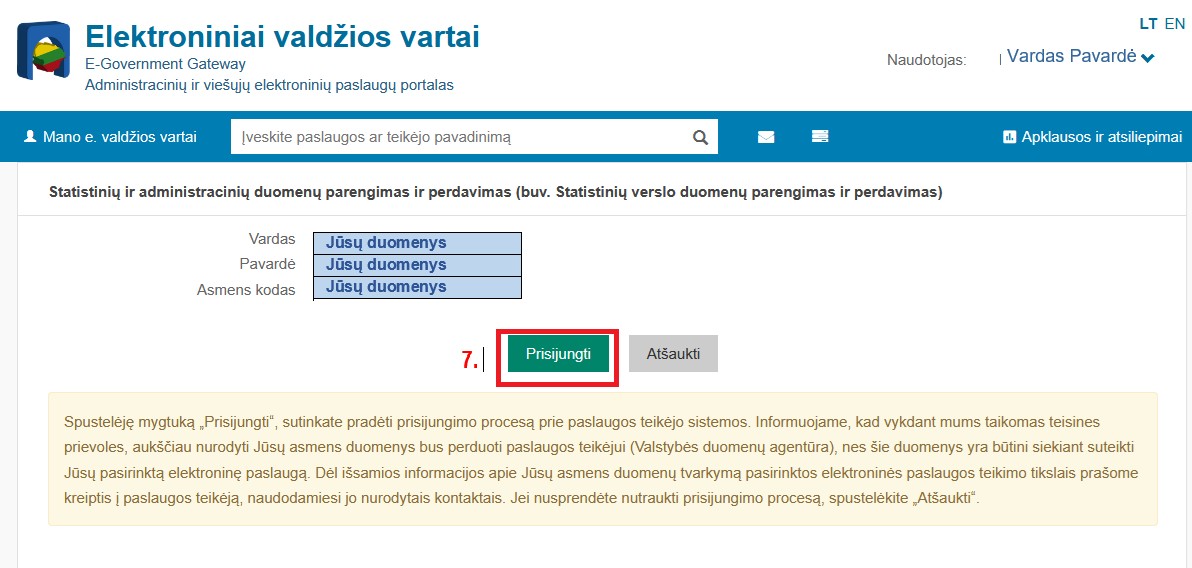
Figure 6. Connection to the service "Preparation and transmission of statistical and administrative data" window
Last updated: 26-02-2026